

Light Stream
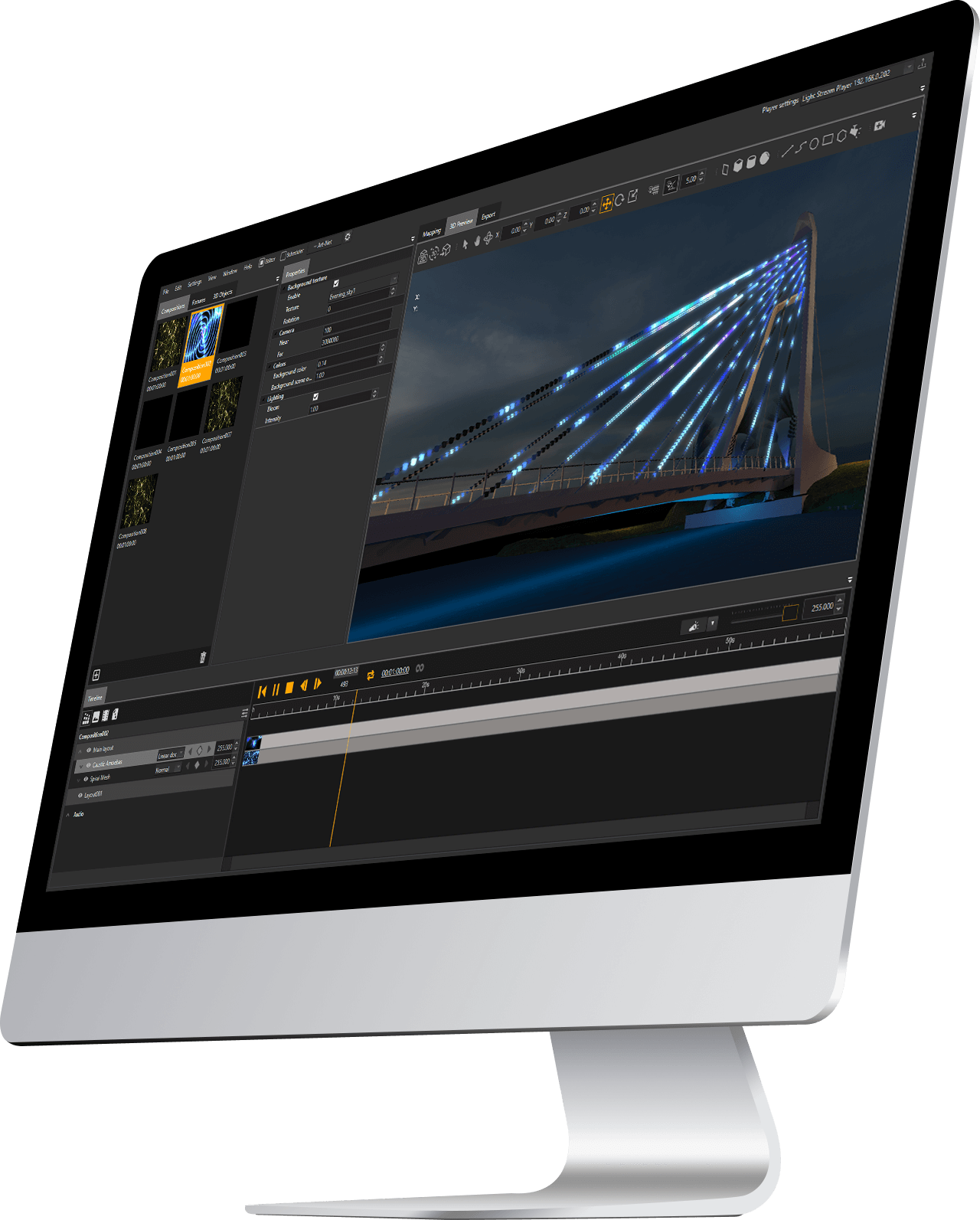

Light Stream is a user-friendly and powerful software for creating lighting compositions and preview them in 2D and 3D modes. Use it with the Light Stream Player or standalone.
Different licenses up to unlimited DMX Universes

1U Free trial
Fixtures RGB170 RGBW128
| Light Stream license types | 1UFree trial | 4U | 8U | 32U | 100U | 500U | 1000U | Unlimited |
|---|---|---|---|---|---|---|---|---|
| RGB | 170 | 680 | 1 360 | 5 440 | 17 000 | 85 000 | 170 000 | > 510 000 |
| RGBW | 128 | 512 | 1 024 | 4 096 | 12 800 | 64 000 | 128 000 | > 384 000 |
| Activation | Free key | Digital key | ||||||
| Basic functionalityProject creation, 2D mapping, Effects, Audio/Video import, Timeline, Fixture groups, 3D Preview, Art-Net | ||||||||
| Synchronization with PlayerImport and export data | ||||||||
| Exporting animationsCUE files | ||||||||
| Exporting videoAVI and other formats | ||||||||
| MCP (Model Context Protocol)Protocol for AI agents | ||||||||
| TriggersSetting up triggers | ||||||||
| Live Sound EffectsReal time generate effects with music track | ||||||||
| 3D Volumetric and Projections | ||||||||
| LED screen integration | ||||||||
| LS Plugin for Unreal Engine | ||||||||
| Local web server | ||||||||
| Media server synchronization and Command Line InterfaceHeadless mode, enhanced performance for large-scale projects | ||||||||
170 built-in effects
More options for quickly creating your own lighting scenes and compositions
Advanced timeline
Fine tune every frame. Mixing effects as in a graphics editor. Add keyframes to any effect parameter
User friendly-mapping
Drag and drop the fixtures directly to the controller port, automatic addressing will help you. Use splines for long LED arrays. Divide your project into layouts. Control the lighting of individual zones independently.
3D Preview
See how your end result will look like. Import 3D models of buildings and other objects. Transfer fixtures from 2D mapping to 3D with one click.
Export to Player
Save your time, just select the compositions you want and click the export button
This tool allows you to project effects onto a 3D model, which significantly expands the possibilities for lighting design.
If you use LedEdit software and AutoCAD you will like the function of importing DXF files and automatic fixtures placement.
Flexible workspace settings. The ability to create multiple workspaces and switch between them at any moment.
Apply effects to each other with different blending modes. Create smooth transitions between effects by adjusting the opacity and any other effect parameters using keys on the timeline or functions.
Simple and intuitive UI
3D Projection
High performance
Layouts
Effects and blending modes
Use Light Stream to transmit ArtNet data directly to the computer by connecting one or more Converter to it up to 2048 universes.
This works fast even on a large number of universes along with 3D previews
Divide and control the scene with areas and masks. Quick transfer of effects between areas. You can split your project into areas and control them independently.
DXF import
ArtNet playback
Support for a soundtrack to add musical accompaniment to your projects.
Soundtrack




Light Stream Plugin for Unreal Engine 5.4+

Software
Light Stream
Version archive